
Web Panel
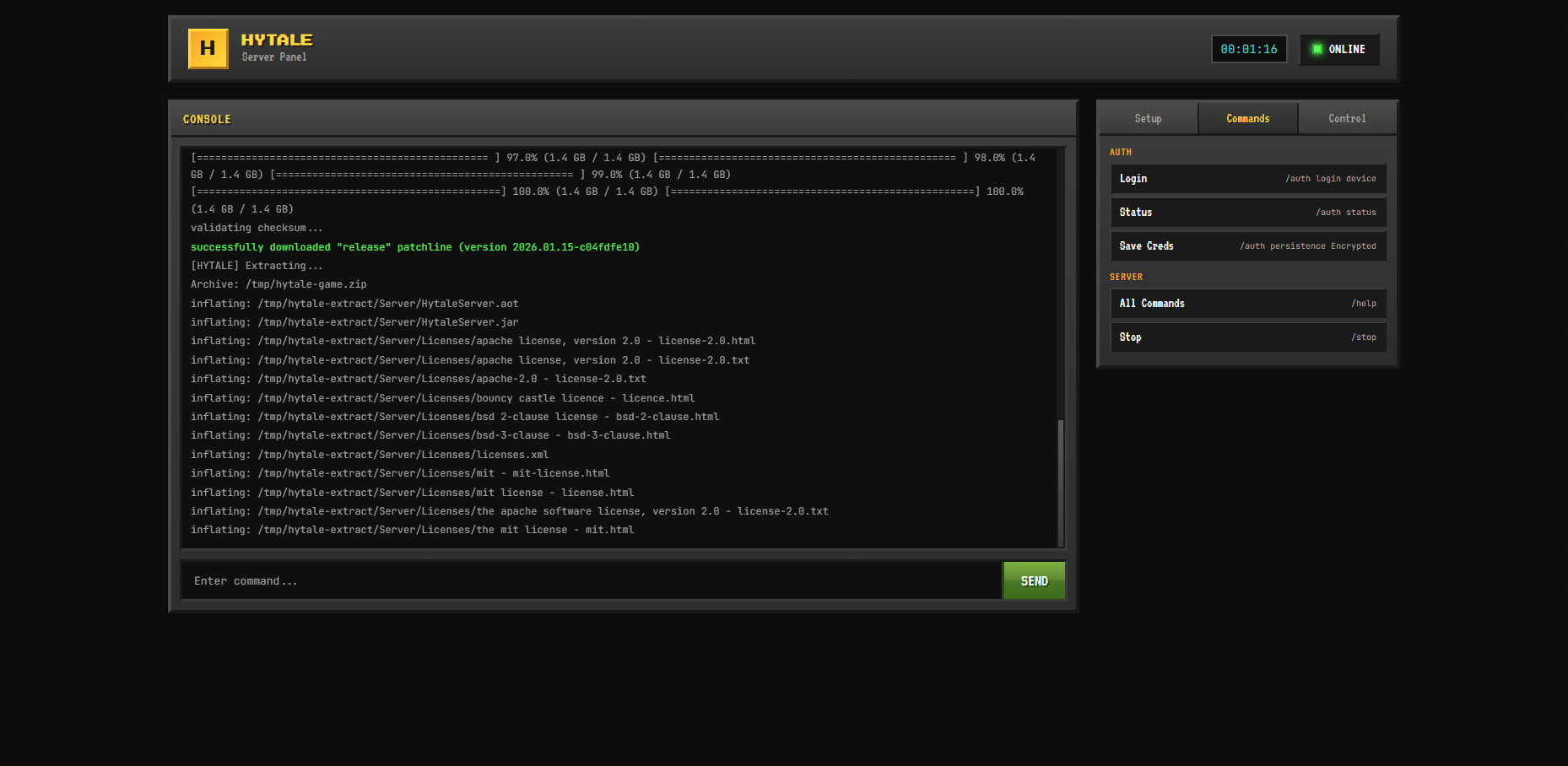
The web panel provides a complete interface to manage your Hytale server.
Features
Real-time Console
- View server logs in real-time via WebSocket
- Color-coded output for different log levels
- Auto-scroll with pause option
Command Input
Send commands directly to the server console. Examples:
/help
/list
/stop
File Manager
- Browse server files and folders
- Upload files directly from your browser
- Edit text files (configs, scripts)
- Delete files and folders
- Download files to your computer
TIP
The file manager is restricted to the /opt/hytale directory for security.
Server Control
- Start the server
- Stop gracefully
- Restart with one click
- View uptime and status
Mod Manager
- Browse mods from Modtale
- One-click install
- Enable/disable mods
- View mod details and dependencies
Requires MODTALE_API_KEY to be set.
Authentication
The panel uses JWT (JSON Web Tokens) for authentication.
- Tokens expire after 24 hours
- Stored in browser localStorage
- Secure httpOnly cookies option available
Changing Credentials
Edit your .env file:
env
PANEL_USER=your_username
PANEL_PASS=your_secure_password
Then restart the panel:
bash
docker compose restart hytale-panelMulti-language Support
The panel supports multiple languages:
- 🇺🇸 English
- 🇪🇸 Spanish
- 🇺🇦 Ukrainian
Language is auto-detected from your browser settings, or you can change it manually in the panel.
Keyboard Shortcuts
| Shortcut | Action |
|---|---|
Enter | Send command |
↑ / ↓ | Navigate command history |
Ctrl+L | Clear console |
Security Considerations
DANGER
Never expose the panel to the internet without proper security measures:
- Use a reverse proxy (nginx, Traefik) with HTTPS
- Enable firewall rules to restrict access
- Use strong passwords
- Consider VPN for remote access
Example: Nginx Reverse Proxy
nginx
server {
    listen 443 ssl;
    server_name hytale.yourdomain.com;

    ssl_certificate /path/to/cert.pem;
    ssl_certificate_key /path/to/key.pem;

    location / {
        proxy_pass http://localhost:3000;
        proxy_http_version 1.1;
        proxy_set_header Upgrade $http_upgrade;
        proxy_set_header Connection "upgrade";
        proxy_set_header Host $host;
    }
}